
Export Plan Details (Ad Set Information)
Learn how to export all Ad Set details from a Plan. This guide covers how to generate and download CSV exports, what data is included, notification behaviour, and permissions.
Overview & Use Cases
Users can now export all Ad Set details from a single Plan directly. The export includes every Ad Set in the Plan, along with content from each Ad and Ad Set — such as Media Type, schedule, placement and custom field information.
The requesting user receives a download link by email once the export is complete.
Note: Performance and spend metrics are not included.
This provides a simple way for Plan reviewers to pull structured Ad and Ad Set data for analysis, scheduling, or reconciliation.
It’s particularly valuable for networks that manage media delivery outside the Zitcha platform, or need to reconcile Plans against other platforms and campaign activity.
How It Works
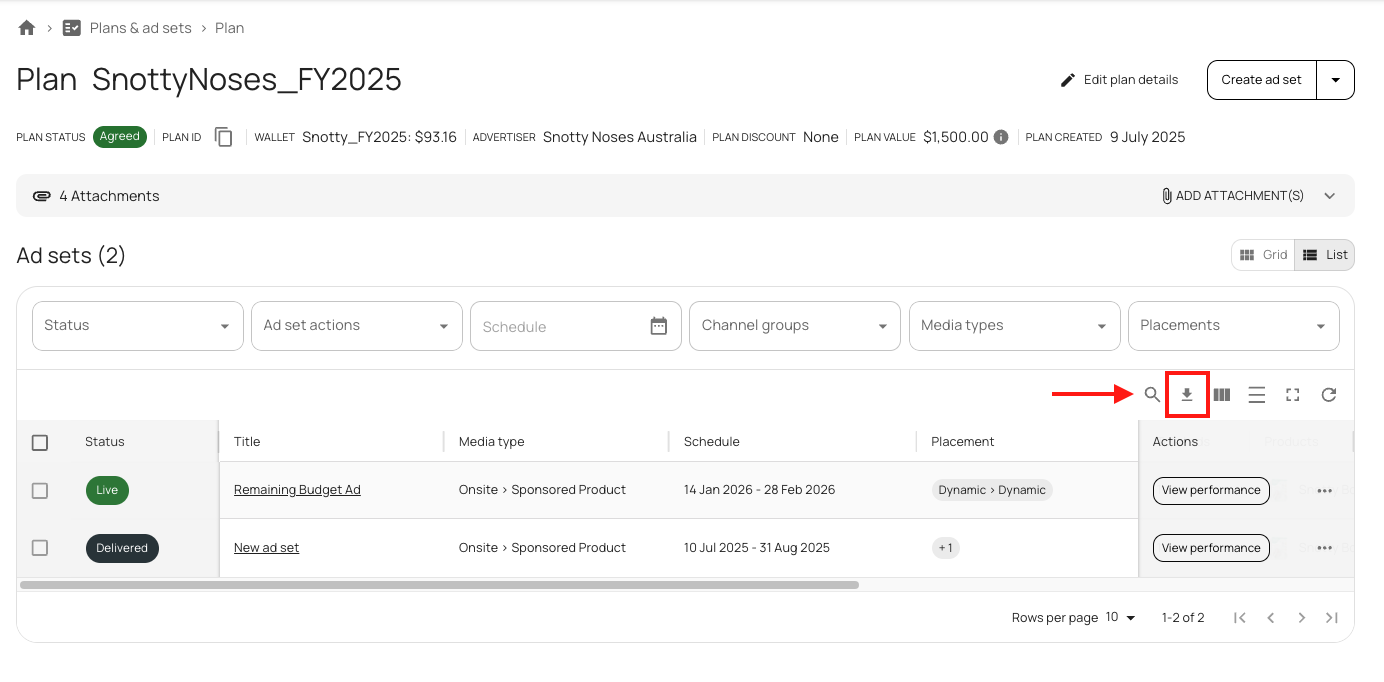
- Enter a Plan Open any Plan.
-
Click Export An Export button appears above the Ad Set table.
-
Export Initiation
- A page-level notification confirms that the export has started.

-
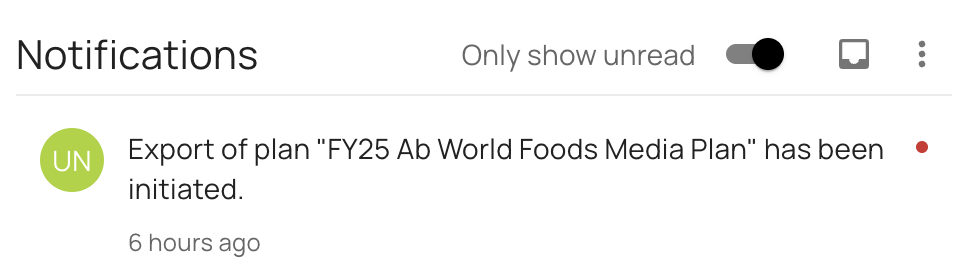
If your organisation has in-app notifications enabled, the Notification Centre displays:
“Export has been initiated.”
-
Completion
-
The requester receives an email with:
- A download link to the CSV file
- A link to the related Plan
-
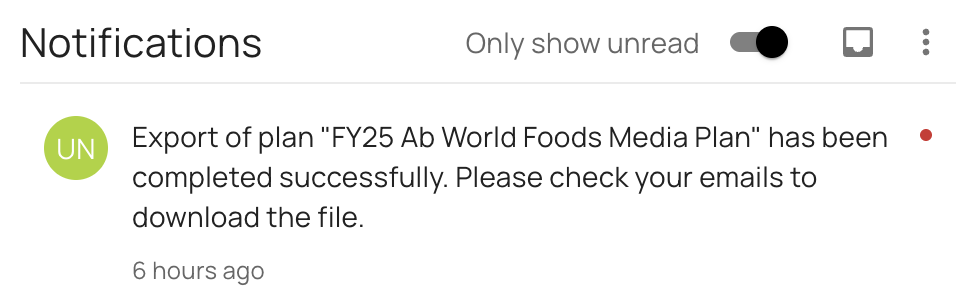
If in-app notifications are enabled, you’ll also see:
“Export has been completed successfully. Please check emails to download the file.”
-
-
Failure Case
-
The requester receives an email indicating the export failed and can try again.
-
If in-app notifications are enabled, the Notification Centre displays:
“Export has failed. Please try again.”
-
File Format
Each CSV includes all Ad Sets in the selected Plan, with one line per Ad.
User Permissions
- Any user who can view a Plan can also export it.
- Access follows existing Plan permissions.
- Only the requesting user receives the download link and notifications.
Notifications
In-App Notifications
- Shown only if the organisation has notifications enabled.
- Sent only to the requesting user.
- Users cannot opt out of export notifications.
- Events covered:
- Export initiated
- Export completed
- Export failed
Email Notifications
- Always sent to the requesting user.
- Users cannot opt out of export emails.
- Email includes:
- Network branding for the Plan
- Download link to the CSV
- Link to the related Plan
- Failure email indicates the export did not complete and prompts the user to retry.
Organisations without in-app notifications enabled will rely solely on email updates.
Export Fields
| Column Name | Description |
|---|---|
| ADVERTISER_name | Name of Advertiser the Plan was submitted by |
| NETWORK_name | Name of Network the Plan was submitted to |
| PLAN_id | Zitcha ID of the Plan |
| PLAN_name | Name of Plan |
| PLAN_status | Status of the Plan at time of export |
| PLAN_created_at | Date and time Plan was created |
| PLAN_updated_at | Date and time Plan was last updated |
| PLAN_wallet_id | Zitcha ID of the wallet used in the Plan |
| WALLET_name | Name of the Wallet used in the Plan |
| WALLET_description | Additional description from the Wallet used in the Plan |
| ADSET_title | Ad Set Title |
| ADSET_id | Zitcha ID of Ad Set |
| ADSET_media_type_name | Media Type (Media Space) selected in Ad Set |
| ADSET_status | Ad Set status |
| ADSET_cal_period | Calendar Period selected in Ad Set |
| ADSET_start_at | Start date and time of Ad Set |
| ADSET_end_at | End date and time of Ad Set |
| ADSET_budget | Submitted budget of Ad Set |
| discount_type | Discount Type applied to Ad Set (Fixed or Percentage) |
| discount_value | Value of discount applied (Fixed or %) |
| ADSET_max_invoiceable | Submitted budget with discounts subtracted |
| ADSET_fields | Inputs added to the custom fields of the Ad Set |
| ADSET_skus | List of SKU IDs selected in the Ad Set (not Ad) |
| ADSET_created_at | Date and time Ad Set was created |
| ADSET_updated_at | Date and time Ad Set was last updated |
| ADSET_pricing_strategy | Pricing type of the Media Type (Fixed, Dynamic, CPC, CPM) |
| ADSET_location_type_name | Location Type selected in placement |
| ADSET_location_name | Location selected in placement |
| AD_id | Zitcha ID of Ad |
| AD_skus | List of SKU IDs selected in the Ad |
| AD_state | Ad Status |
| AD_fields | Inputs added to custom fields of the Ad (one line per Ad) |
| AD_created_at | Date and time Ad was created |
| AD_updated_at | Date and time Ad was last updated |
Updated about 15 hours ago